
On site and in the office. Made for UK arb.
The smart choice for arborists.
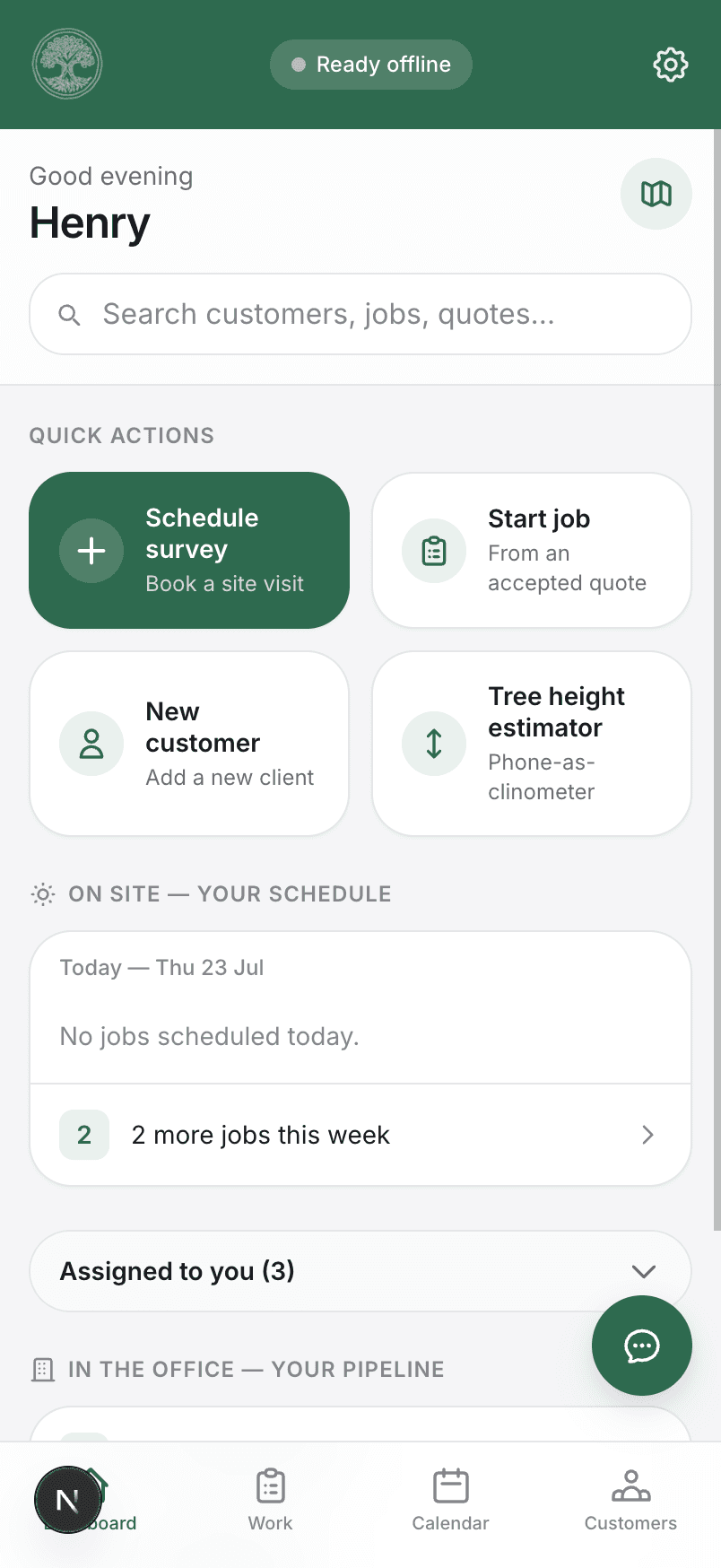
The one app for running the business side of tree work. Site surveys, risk assessments, quotes, jobs, crew and invoices, from the first visit to the paid invoice. Simple enough to pick up with no training, with an offline mode for the field.
- Manage your crew
- Plan the day's jobs
- Quote and invoice
- Import from QuickBooks
The day job
Sound familiar?
Running a tree surgery business means two jobs: the one up the tree, and the one that follows you home. Most of the admin isn’t hard — it’s just scattered across paper, photos, texts and a spreadsheet.
Risk assessments on paper
A damp folder behind the seat, filled in with a biro, and no way to find last month’s when someone asks for it.
Job photos lost in WhatsApp
Before and afters scattered across group chats, gone the day the phone gets replaced or the thread scrolls away.
Quotes written up at 9pm
The daylight goes on climbing. The paperwork waits until the evening, and then it eats the evening.
“Did we ever invoice that one?”
Finished work slipping through the gap between the last cut and the bank, sometimes for months.
Treetask puts the lot in one place. Not a desktop system with a phone app bolted on the side — a phone app that happens to work beautifully on a laptop when you sit down at one.
What it’s for
Everything after the phone rings.
You’re good at the tree work, and the word gets round. Treetask isn’t here to find you customers. It’s here to take the admin off your hands once you have them. The survey, the quote, the job, the crew and the invoice, all in one place, from the first site visit to the money in the bank.
The office side of tree work, handled in minutes instead of evenings.
Why it’s useful
Less time on admin. The same standard every job.
The point isn’t a slick app. It’s the hours you get back, the admin that stops piling up, and knowing every job is run the same way whoever’s on it. The paperwork, made quick and consistent.
Hours back every week
The admin that used to pile up for the evening gets done on site, between jobs. Enter a customer once and their details carry all the way through to the invoice, so you're not retyping the same thing four times.
The crew, managed
Hand jobs to your team or contractors and they get the site, the tasks and the risk assessment without you explaining it. Keep on top of tickets and time off in the same place, no chasing.
The same, every job
Every survey, risk assessment, quote and invoice follows the same shape, so nothing gets missed and every job looks and runs the same, whoever on the crew is doing it.
On site or at the desk
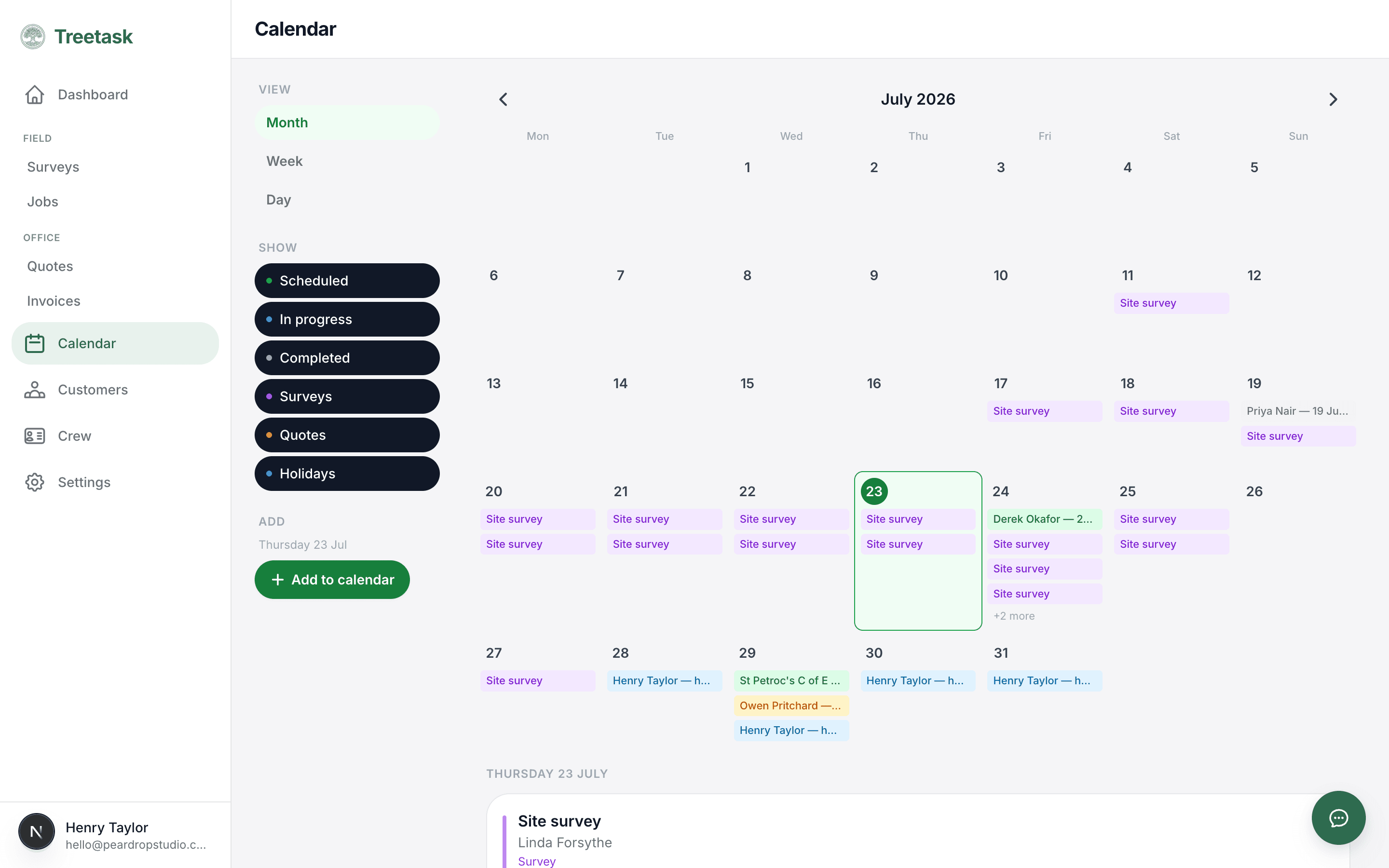
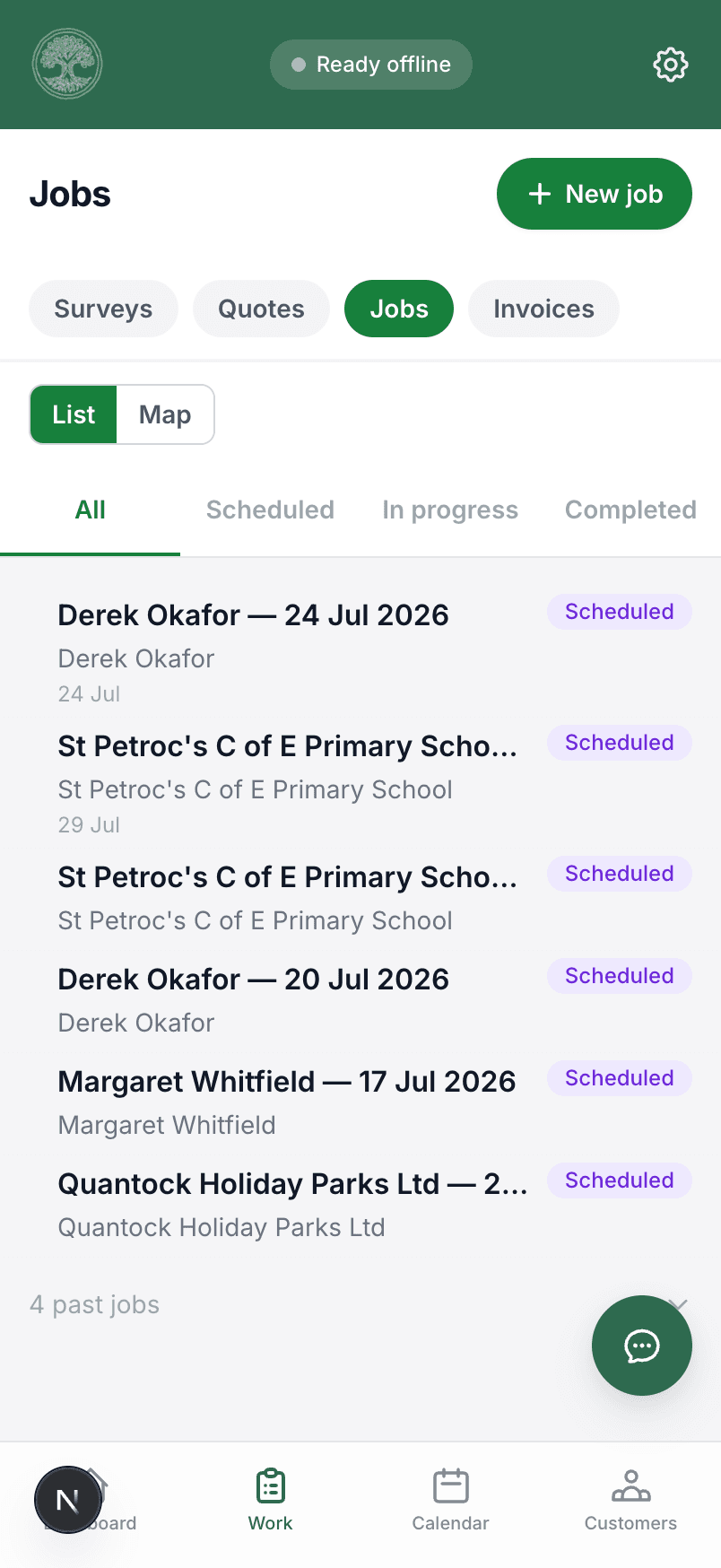
The same app on the phone out on site and full-width on a laptop for the office work. The field and the admin share one place and one set of records, not a pile of paper you type up later.
How it works
From the first visit to the paid invoice.
Every tree job runs through the same four steps, and Treetask follows them in order. Survey the site, price up the work, do the job, then invoice for it. Each step hands the customer, the site and the details to the next, so you set them up once and never key them in again.
- 01
Site survey
Book it in, turn up, fill it in on site.
- Your own survey templates, or the standard one
- Photos, notes, TPO and conservation-area checks
- Photograph a handwritten note and it becomes text
- 02
Quote
Break the work into tasks and price it.
- Task prices add themselves up, or override the total
- Send a clean PDF, or show the work without the line prices
- Customer accepts or declines — the quote locks once sent
- 03
Job
From an accepted quote only. Never a surprise.
- Risk assessment signed on the screen before work starts
- Tools logged, crew assigned, tasks ticked off as they go
- Wildlife checks, chemical treatment and neighbour notices
- 04
Invoice
Off the back of the finished job, in two taps.
- Sequential numbering, VAT at 20%, your bank details
- Draft → sent → paid, so nothing sits forgotten
- Push it straight into QuickBooks if you use it
By the time you come to invoice, everything from the first site visit is already there. Nothing to dig out, nothing to type up twice.
See it in action
The same app, on site and in the office.
Full width on the laptop when you’re quoting and invoicing at the desk, and in your pocket on the phone when you’re out on the job. One login, the same records either way.
Features
Everything you need to run the work.
Alongside the four main stages, Treetask handles the rest of the day-to-day, from managing the crew to keeping the books straight.
Crew management
Manage your crew in one place. Track qualifications and ticket expiry, handle holiday requests, and assign people or contractors to jobs.
Calendar
A dynamic calendar showing all your jobs, surveys and quote dates, plus crew holidays and UK bank holidays. Subscribe to it from your own calendar too.
Invoicing
Raise invoices from a job or quote with automatic numbering, VAT for registered businesses, and your payment details on the document.
Risk assessments
Complete risk assessments on site from built-in UK tree surgery templates or your own, signed off on screen and stored against the job.
Photos
Attach photos to a survey or job. They stay with the work from the site visit through to the invoice, so the whole crew sees the same pictures.
Optional QuickBooks integration
Connect QuickBooks to import customers and push invoices across. Optional, as Treetask handles quoting and invoicing on its own.
Offline mode
Built for where the signal isn’t.
Most job management software quietly assumes a desk and a broadband line. Your office is a van, and half the work is down a track in a valley. Treetask is built the other way round — the day’s work is held on the phone, so a dropped signal doesn’t stop you. We’re widening what you can do fully offline all the time.
Your day’s jobs, on the phone
Open your scheduled jobs and their details with no signal at all. They’re held on the phone itself, not on a server you can’t reach down a valley.
Tick the job off as you go
Work through the job’s task list and tick things done on site. That saves straight to the phone, even with no bars showing.
It catches up on its own
A chip in the corner shows what’s waiting. Get within a bar of signal and it uploads quietly in the background.
Made here
Built for how the work goes in Britain.
The big alternatives are American, priced for large operations and vague about the things that get a UK arborist in trouble.
TPOs and conservation areas
Recorded against the site, checked on the survey, and carried through to the job — not typed into a notes box and forgotten.
Arb tickets and expiry dates
Around 26 UK certifications set up from day one, from CS30 and CS38 to PA1, PA6 and first aid, with a warning 60 days before one lapses.
VAT and payment details
Registered or not, invoices come out right — 20% added when it should be, VAT number and bank details on the document.
England & Wales bank holidays
They appear on the calendar automatically, so you don’t book a crew for Easter Monday and find out the hard way.
Your data stays yours
Every record is walled off to your company at the database level. Not filtered in the app and hoped for — enforced underneath it.
Priced for a small outfit
Aimed at sole traders and crews of two to five, not at operations with a procurement department.
Pricing
One app. Priced by the size of your team.
Every plan is the whole of Treetask. The only difference is how many of you are on the account. Priced for a small outfit, not an enterprise, and you can cancel whenever you like.
Small crew
£60/month
plus VAT · per business
Up to 4 users
A growing team on the tools.
Get startedEvery plan includes
- Every feature on this page
- Unlimited surveys, quotes, jobs and invoices
- Photo storage included
- Offline mode on every phone and tablet
- QuickBooks connection
- Guided setup and in-app help
Have a look round first — no card needed to sign up. Need more than five on the account? Get in touch.
Questions
The things people ask.
Do I need to download it from the App Store?
No. Open Treetask in your phone’s browser and tap “Add to Home Screen”. It gets its own icon, runs full screen like any other app, and updates itself — no store, no waiting for approval, nothing to reinstall.
What actually happens when I lose signal?
Your day’s jobs stay on the phone, so you can open them and tick tasks off with no signal at all. A chip at the top shows what’s waiting to sync, and it uploads on its own the moment you’ve got a bar. We’re steadily widening what you can do fully offline.
Can my crew use it as well?
Yes. Invite them by email and they arrive on Site access — they can do surveys, jobs, risk assessments and photos, and see everything including prices, but can’t create or change quotes and invoices. Promote anyone to Full access when you’re ready. Your plan sets how many people can be on the account, so move up a plan to add more.
Do I have to use QuickBooks?
Not at all. Treetask does quoting and invoicing on its own — numbering, VAT, PDFs, the lot. If you do use QuickBooks, connect it and push invoices across in a tap. Xero is on the list.
What about the customers I’ve already got?
Import them straight from QuickBooks if they’re in there, or add them as the work comes in. Each customer keeps a full thread of their surveys, quotes, jobs and invoices from then on.
Does it work on a laptop?
Yes. Same app, same data, laid out for a bigger screen with a proper sidebar. Most people survey and run jobs on the phone, then do the quoting and invoicing at a desk.
Run your tree work through one app.
Set your business up in a few minutes and put your next survey, quote and invoice through Treetask. No card needed to take a look round.