
All features
One platform for the whole business.
A survey becomes a quote, a quote becomes a job, a job becomes an invoice — each one carrying the last one’s details, so the work is only written down once. Here is how it fits together.
How the work flows
From the first site visit to the paid invoice.
Four records, each one carrying the last one’s details, on the phone on site and on a laptop in the office.
01
Site survey
Fill in your own survey form on site, with photos as you go — signal or no signal.
More02
Quote
The survey becomes the quote. Decide what the customer sees, then send a PDF or push it to QuickBooks.
More03
Job
An accepted quote becomes a job with its tasks on it. Schedule it, crew it, sign the risk assessment.
More04
Invoice
Invoice the finished job with the line items already there, and let QuickBooks mark it paid.
More
Everything around the job
Customers, crew, kit and the paperwork.
Each part of the platform has its own page going through what it does.
Quotes & invoicing
Quote from a survey, invoice from the job, and send it as a branded PDF or straight to QuickBooks.
Learn moreCustomers & sites
Contact details, sites and a full job history for every customer. Import them from QuickBooks or add them by hand.
Learn moreCrew management
Assign jobs, track tickets and their expiry, handle holidays and keep everyone's documents. Field staff see the work, not the money.
Learn moreCalendar & scheduling
Jobs, surveys, quote dates and holidays on one calendar. Subscribe to it from Apple, Google or Outlook.
Learn moreTemplates & compliance
Risk assessments signed on screen, custom survey forms, the accident book and the crew induction.
Learn moreTools & equipment
An inventory of your kit with inspection tracking, assigned to the jobs that need it.
Learn moreOn site
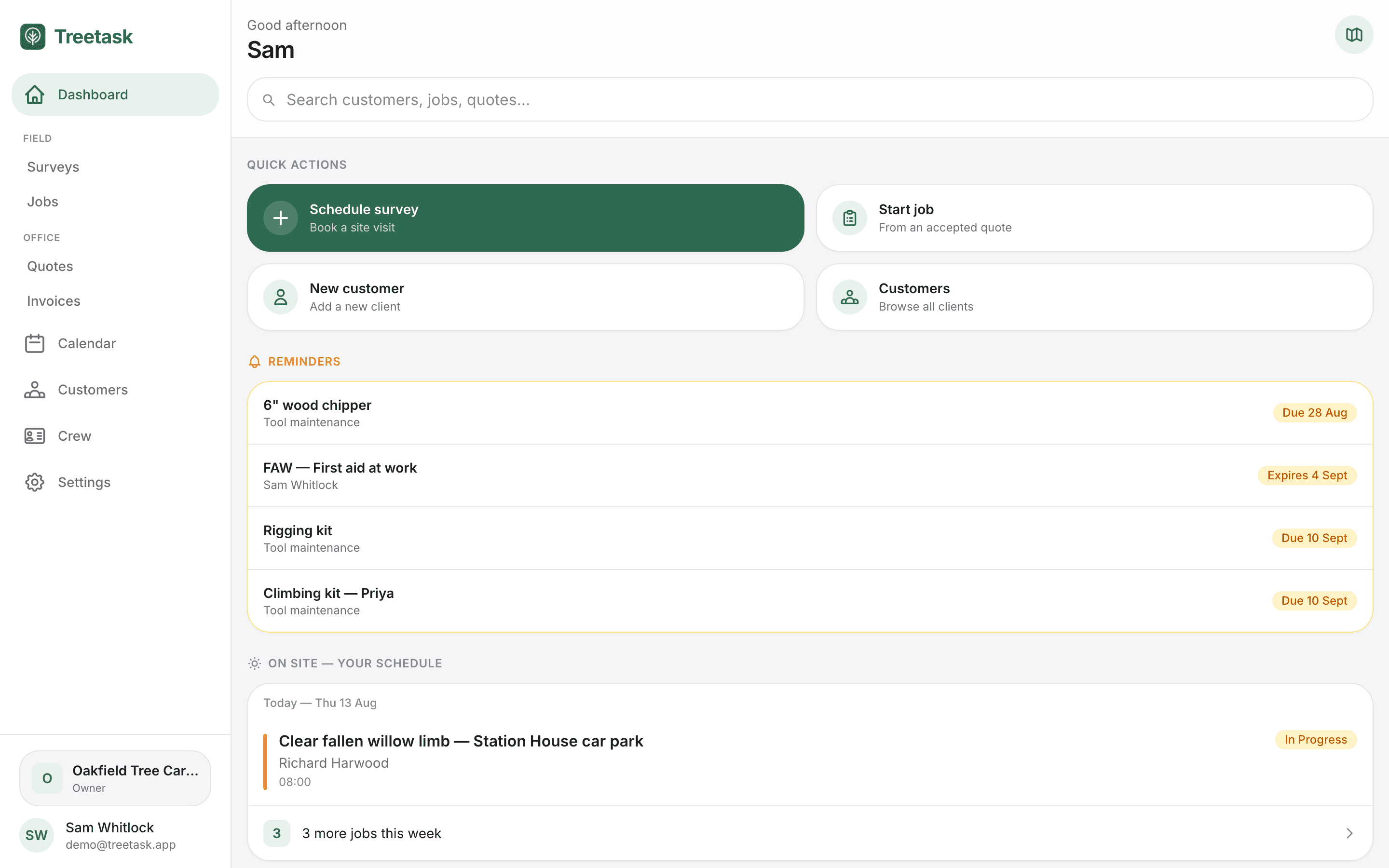
Surveys completed on site, the day's jobs and tasks on the phone, crew assigned to the work, and the week on a map.
Learn moreQuickBooks
Push quotes and invoices to QuickBooks, and let acceptance and payment come back automatically.
Learn moreA closer look
Risk assessments, crew, the calendar and your documents.
Risk assessments and the accident book
The safety paperwork, done on the phone.
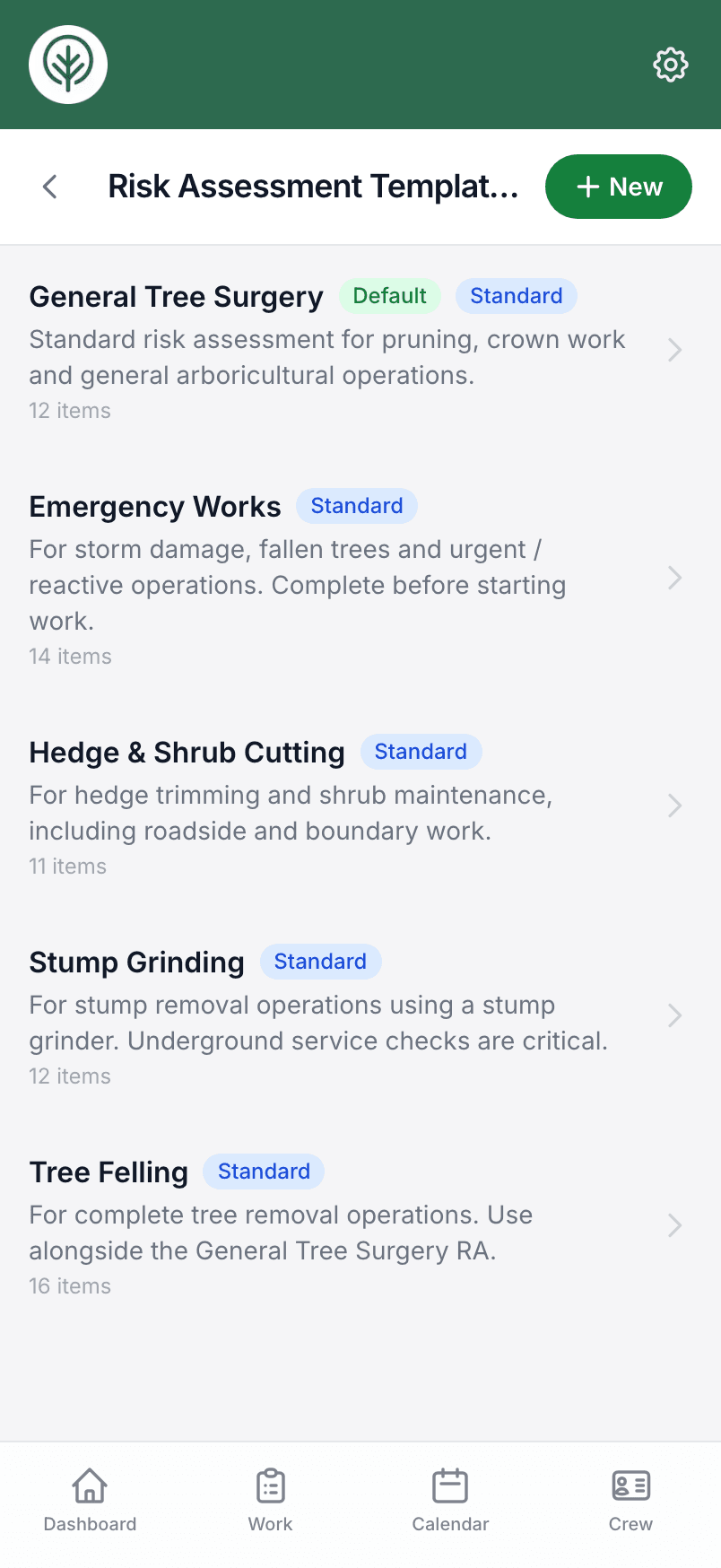
Risk assessments come from built-in UK tree surgery templates or your own, get signed on screen before work starts, and stay filed against the job — so when anyone asks for one, it takes seconds to find.
- Signed on screen before work starts
- Accident book for injuries and near misses
- Crew induction form, signed once and kept on file
Crew
Holidays, tickets and who’s on what.
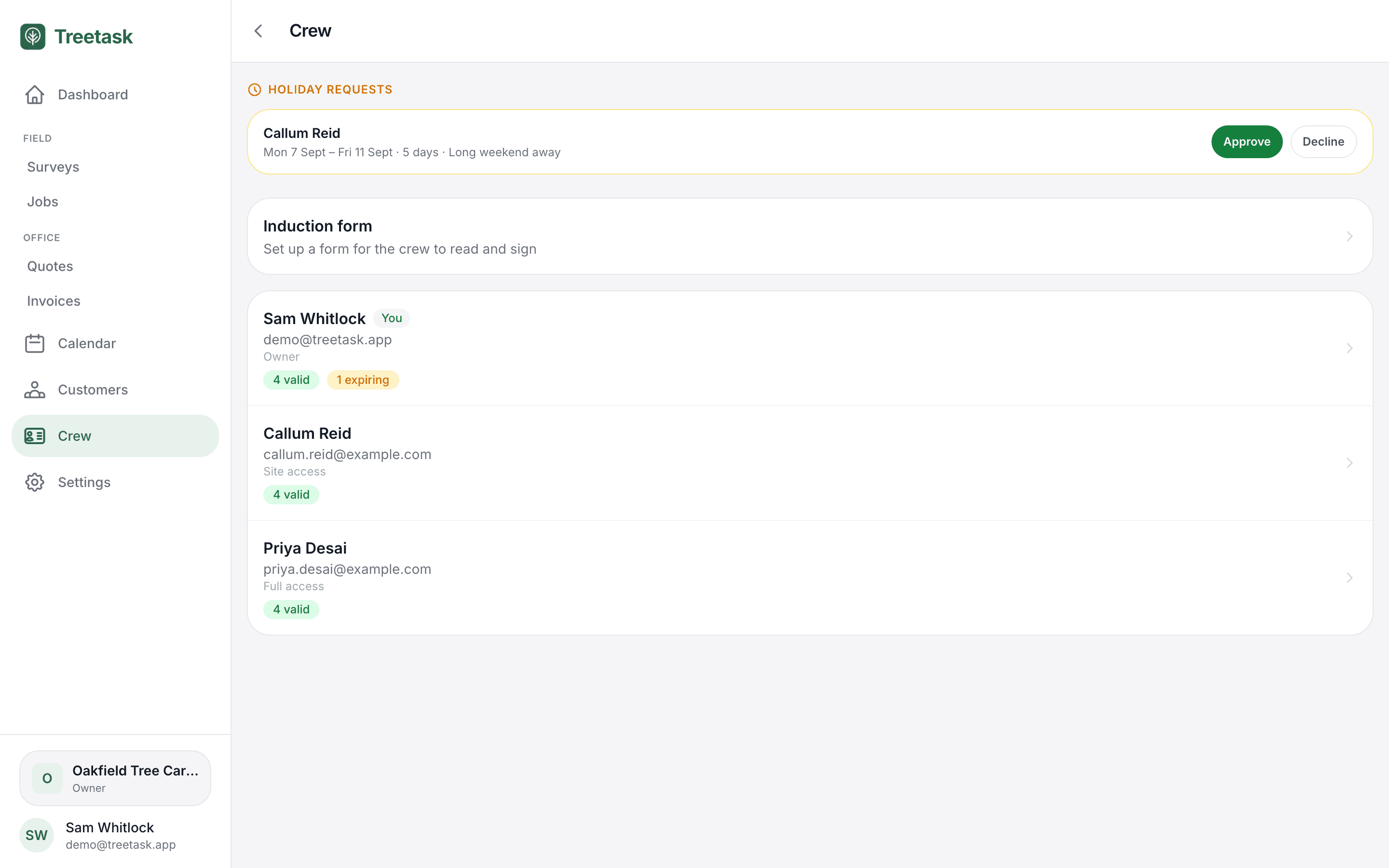
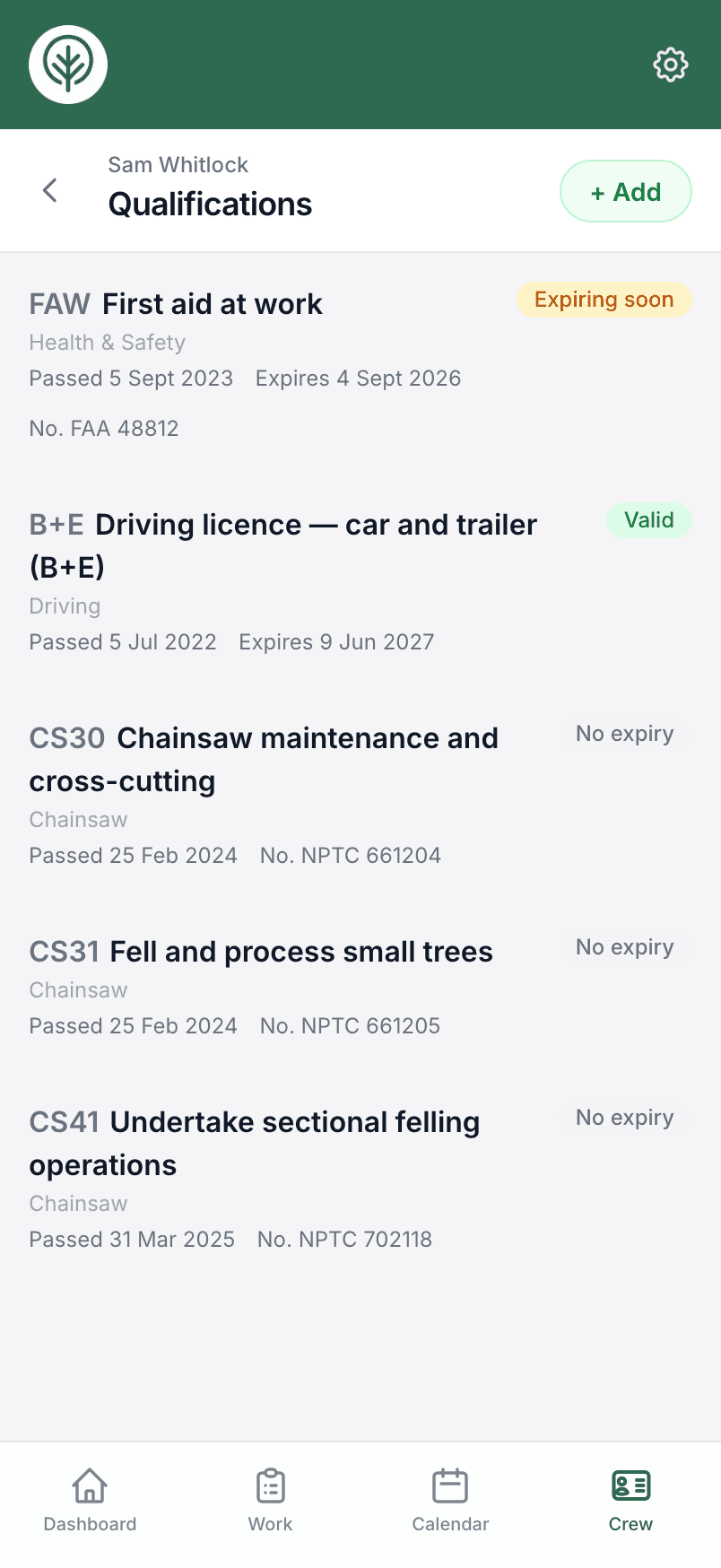
Every crew member’s certificates are held with their expiry dates, holiday requests get approved in a tap, and each person sees the jobs they’re assigned to.
- Ticket expiry dates flagged in advance
- Holiday requests and approvals
- Contractors on jobs, with or without an account
Calendar
The whole week, on one screen.
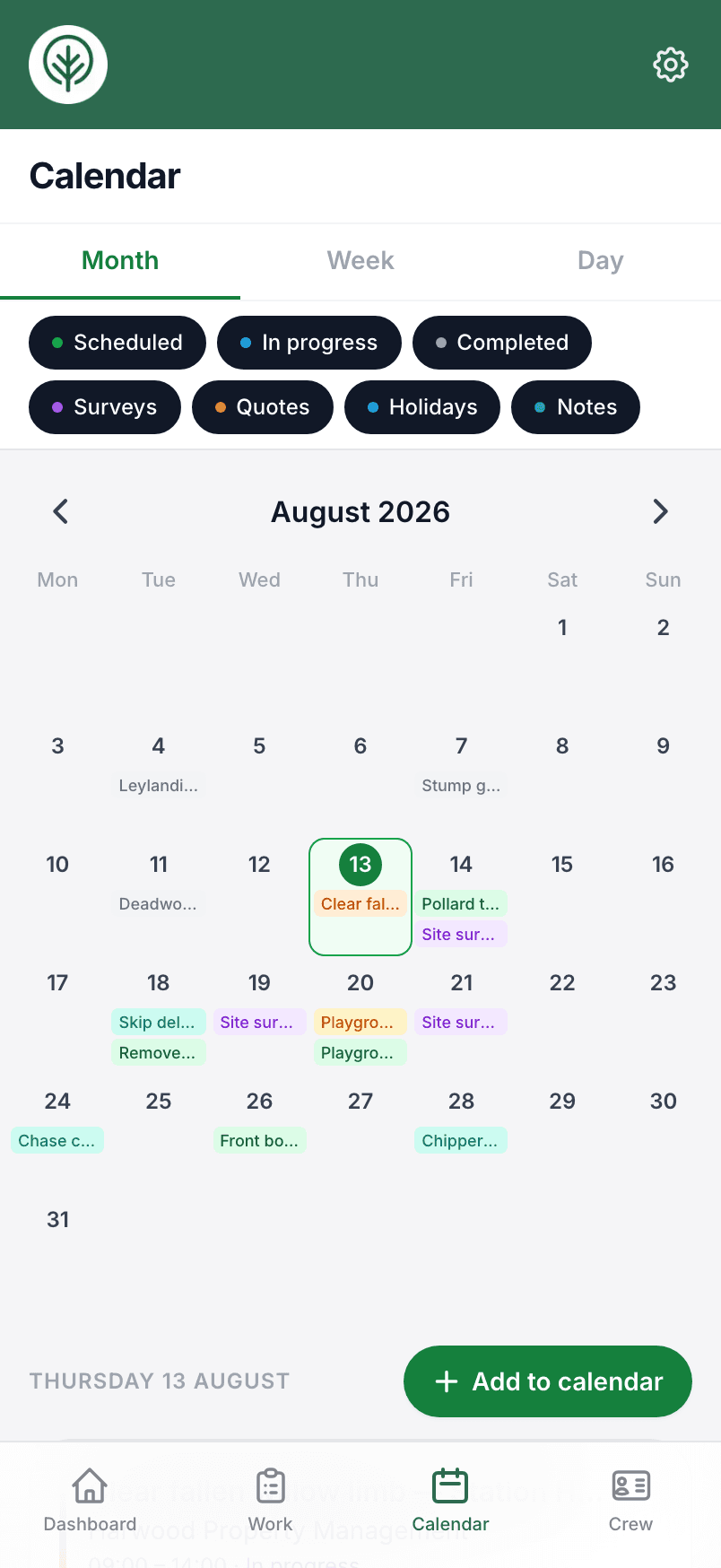
Jobs, surveys, quote dates and crew holidays on one calendar, so who’s working where is never a guess. Add work straight onto a day, and subscribe from the calendar you already use if you prefer.
- Jobs, surveys and holidays in one view
- Add a survey or job straight onto a day
- Subscribe from your own calendar
Documents
Tickets, qualifications and insurance documents, kept on file.
Upload a photo or PDF of each certificate and it’s kept against the person it belongs to, with the expiry date tracked. Insurance documents, contracts and anything else go in each person’s documents area. When a client asks for proof of a ticket or your insurance, it takes seconds to find.
- Upload a photo or PDF of each certificate
- A documents area for every crew member — insurance, contracts, anything
- Find any of it in seconds when a client asks
Also in there
- Photos kept with the survey, the job and the quote
- Customer records with every survey, quote, job and invoice behind them
- Handwritten notes photographed straight into text
- Tools inventory with inspection dates, assigned to jobs
- Dashboard reminders for expiring tickets and kit coming up for service
- A Monday email with the week ahead and any expiring certificates
- Accident book — injuries and near misses filed from the field
- QuickBooks customer import, invoice push and estimate send
- Search across customers, jobs, quotes and invoices
- Download everything your business has put in, whenever you like
Run your tree work through one platform.
Set your business up in a few minutes and put your next survey, quote and invoice through Treetask. No card needed to take a look round.